Optimize your Google Cloud commitments for the demand you already know.
Most CUD tools size commitments from last month's usage and hedge the rest — because they don't trust your future. But a signed contract, a funded migration, or a steady baseline isn't a guess. Tell Solvicus the demand you already know, and it finds the lowest-cost mix of 1- and 3-year commitments to cover it — no hedge tax. It recommends and evaluates; you stay in control, and it never touches your cloud console.
Free to start · No credit card · We never touch your cloud console
How it works
From the demand you know to a commitment plan you can trust
You don't need to learn a modeling language or hand over access to your cloud account. Solvicus sits between your AI assistant and the math, so you can go from “how much should we commit?” to a defensible, editable answer — without becoming an optimization expert.
Connect to Solvicus
Add the Solvicus MCP server to Claude Desktop, ChatGPT, or Antigravity in a couple of minutes. One endpoint, one key — no billing access, no console permissions.
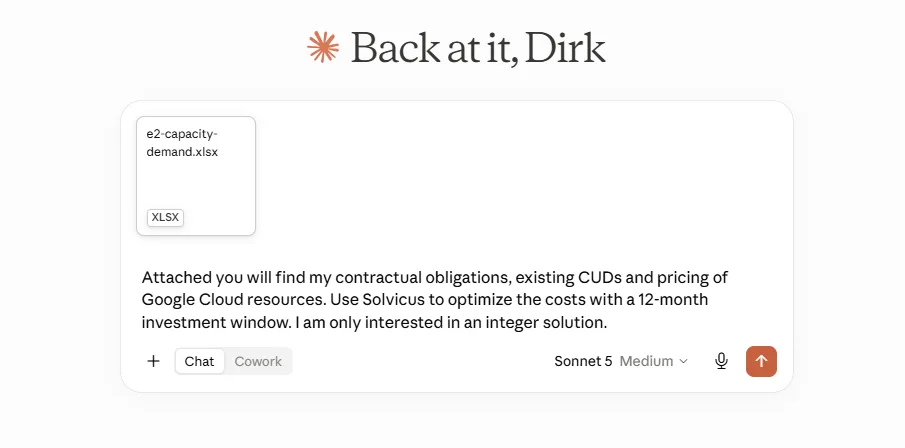
Describe the demand you know
Your AI assistant turns the demand you already know — contracts, planned ramps, a steady baseline — plus the CUDs you already own into the model inputs, so there are no spreadsheets to wrangle or schemas to learn.
Get a plan you control
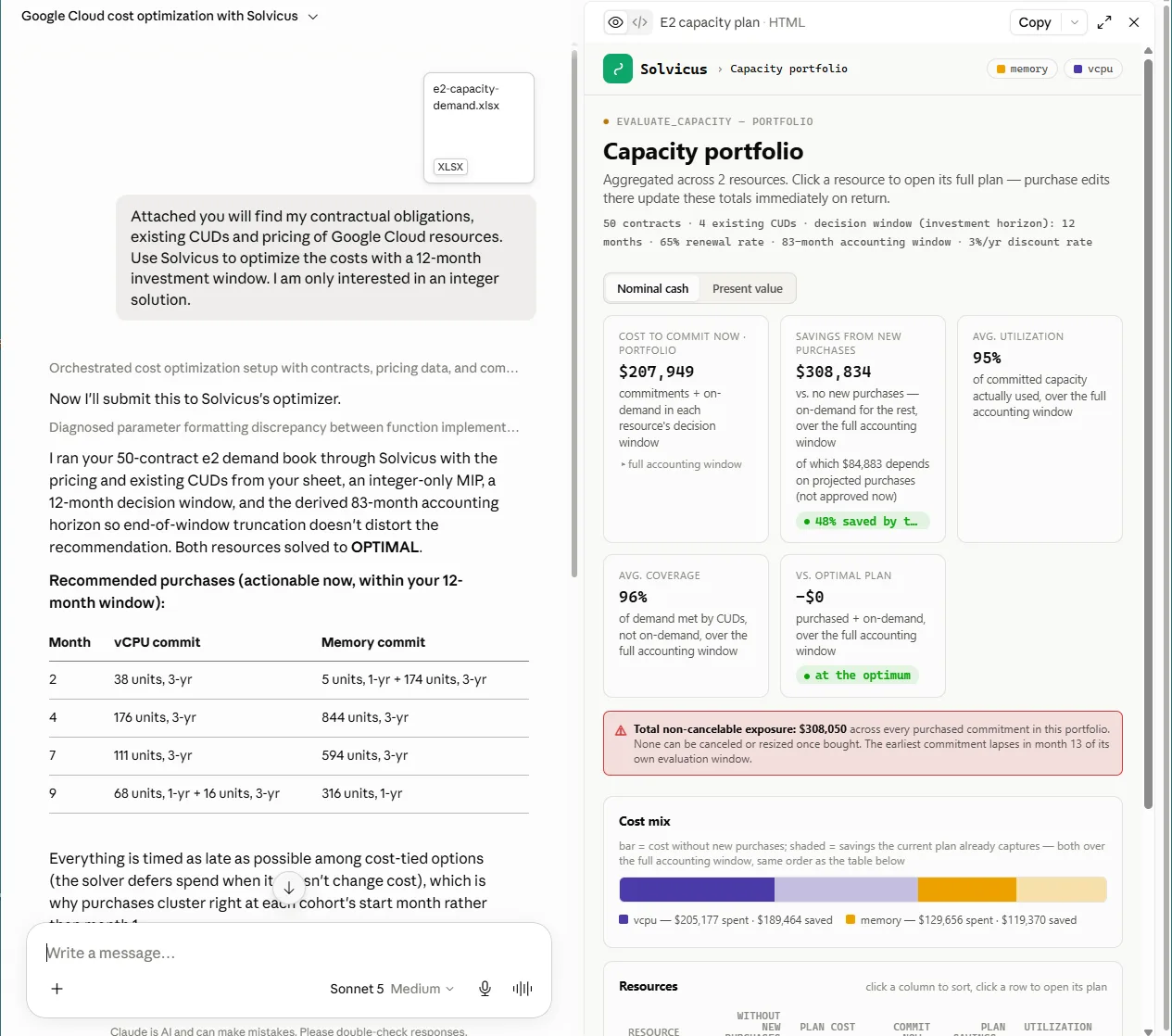
Receive the cost-optimal 1- and 3-year commitment plan with the coverage, utilization, and savings behind it — then edit purchases, run scenarios, and stress-test it in an interactive dashboard.
Why Solvicus
Optimize for the future you know — not the past you had.
Historical-usage tools have to hedge because they can't see what's coming. When you already know your demand, that hedge is just lost savings. Solvicus optimizes the commitments for the demand you bring it — then shows its work in an interactive dashboard, so you can adjust it and make the call yourself.
Forecast-driven, not backward-looking
Every other GCP CUD tool sizes commitments from your usage history and hedges the rest. If you already know your demand — signed contracts, a funded migration, a steady baseline — Solvicus optimizes for it directly, so you don't leave savings on the table hedging risk you don't have.
Transparent and editable
Every recommendation comes with coverage, utilization, demand, and cost charts — and you can override any purchase, run what-if scenarios, and stress-test the plan against different demand. See the impact instantly, because you often know things the model doesn't.
You stay in control
Solvicus recommends and evaluates; it never buys anything or touches your cloud console. No billing write-access, no automation acting behind your back — you make the call and the purchase.
Integrations
Drive it from the AI assistant you already use
Solvicus speaks the Model Context Protocol, so you optimize your Google Cloud commitments right inside your assistant — no new dashboard to log into. Pick your client to see the setup steps.
- 1We will provide you with a step-by-step guide how to install Solvicus as MCP server.
- 2ChatGPT Desktop support OAuth authentication which will be used to secure your access.
- 3To set it up, a
Server URL, anOAuth Client ID, and aOAuth Scopewill be provided in Solvicus Portal to copy & paste.
Pricing
Register free. Start optimizing today.
Registration is required to use Solvicus, and it's completely free. Paid plans are coming — pricing will be announced soon. Create an account now to lock in early access and help shape what we build next.
- Free account, no credit card
- Access to the GCP CUD optimizer
- Interactive what-if dashboard
- Early access to new features